
Step.1
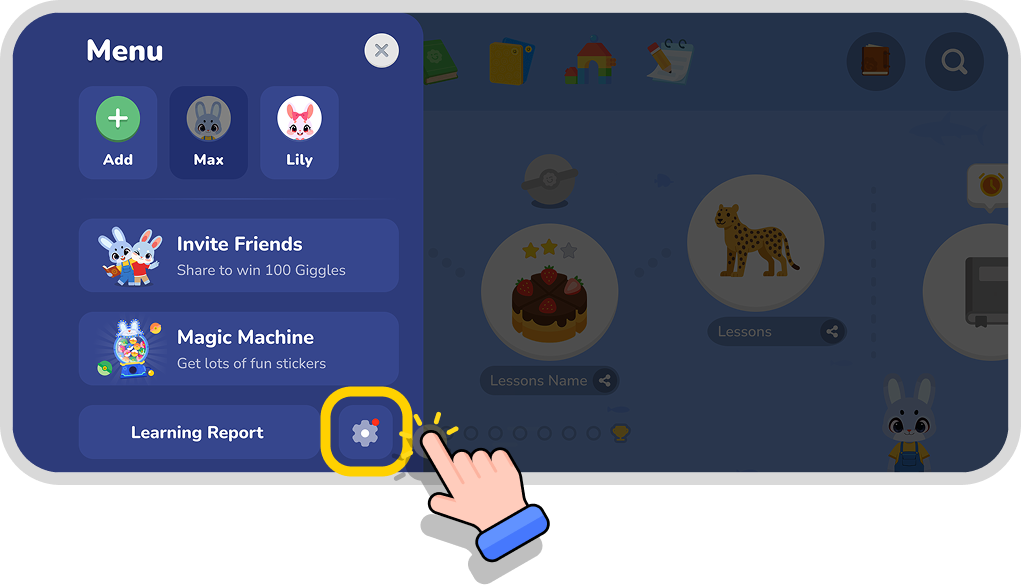
Open the settings page
Step.2
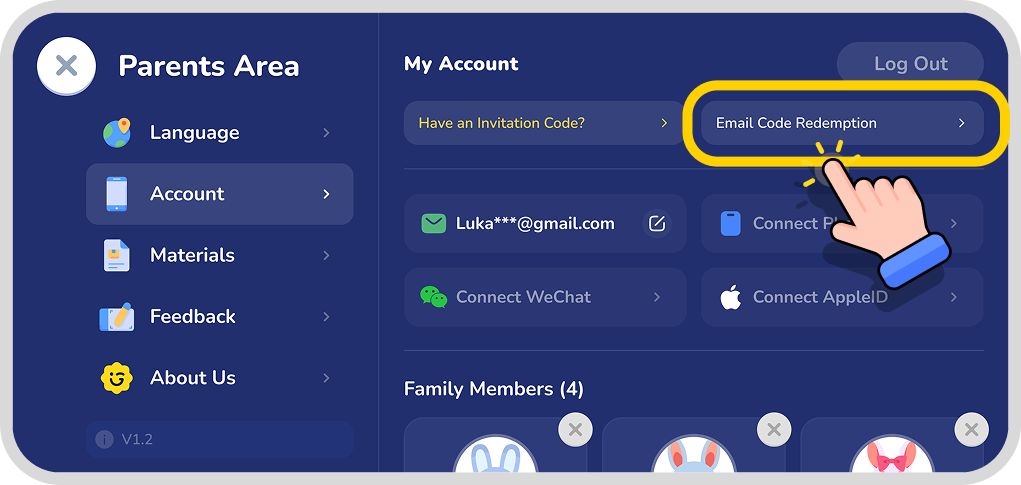
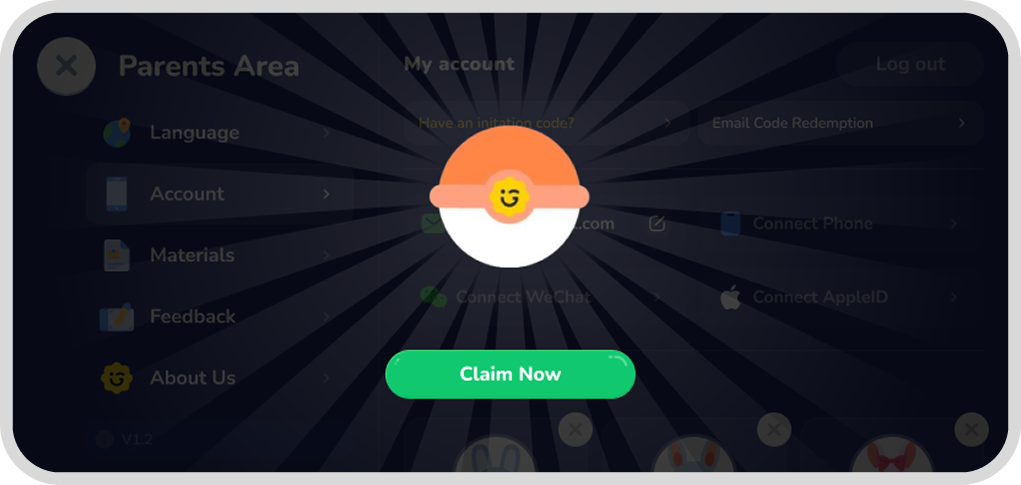
Select the [Account] menu and click the Email Code Redemption button.
Step.3
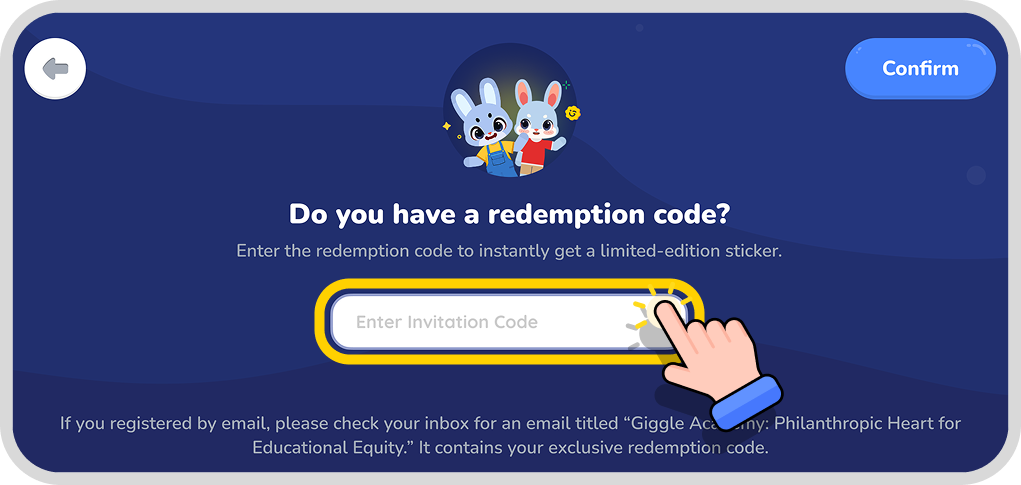
Enter the sticker redemption code you received from the email into the input box.
Redeemed successfully!
Go to Giggle Academy and check out your stickers!
Tips:
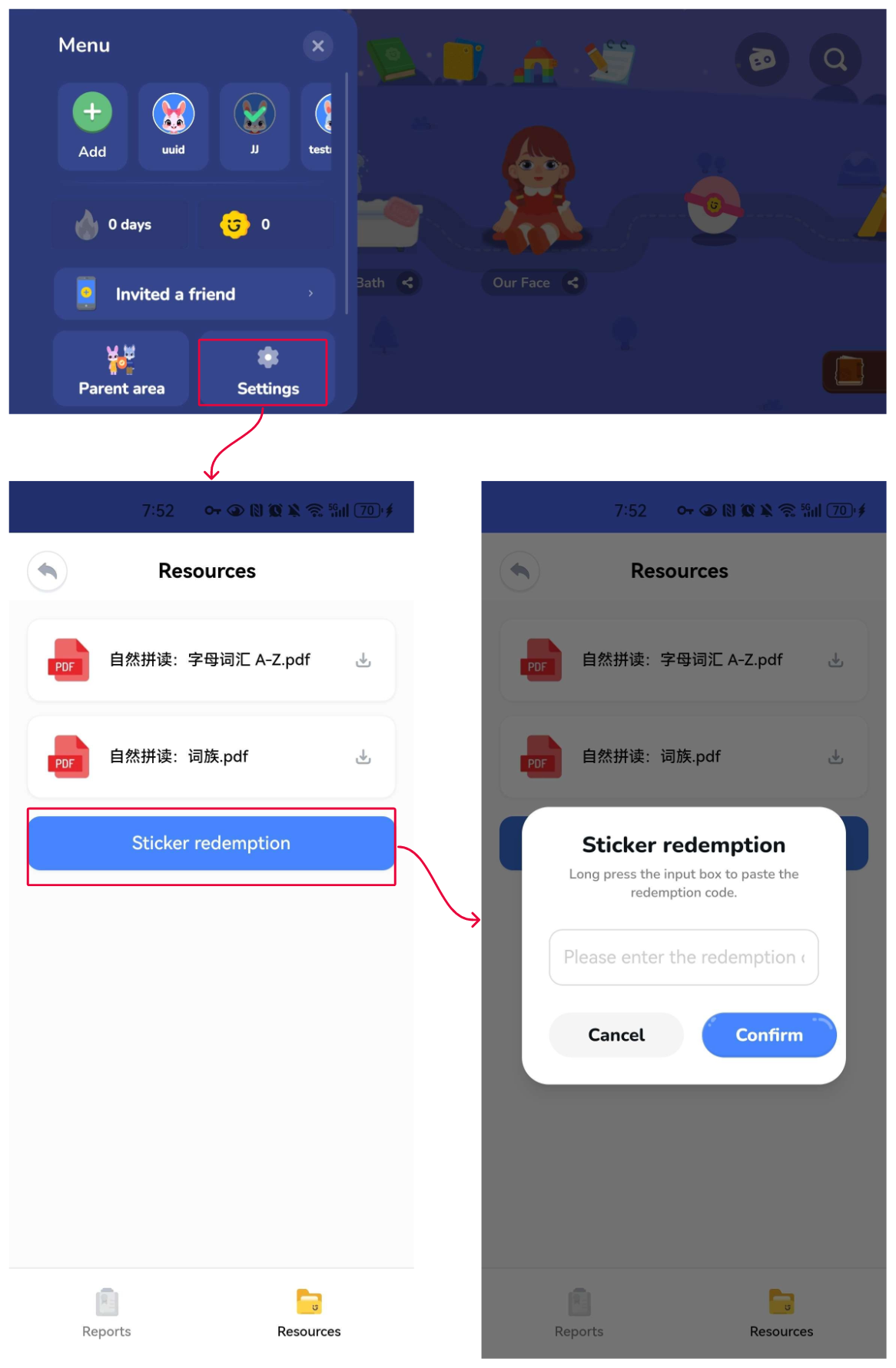
If you can't locate the relevant entry, there's also a redemption portal in the Parent Center. Follow these steps: