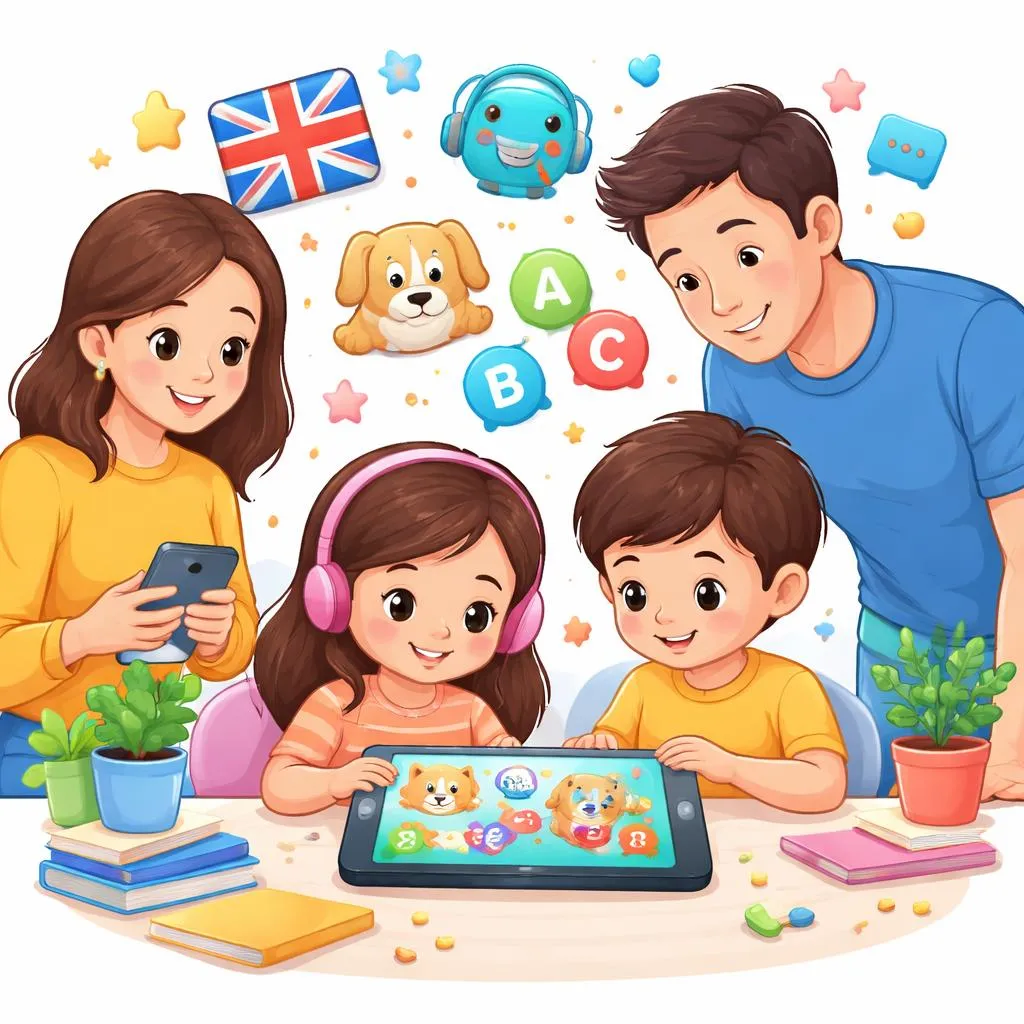

Hello, parents and teachers! Welcome to our special guide today. We explore digital learning tools. We discuss online apk kids resources for English education.
Technology offers many ways to learn. Children can use apps on phones and tablets. These tools make learning fun and interactive. But choosing the right ones requires care.
Let us open our digital guidebooks. Let us learn about safe and effective apps for young English learners. By the end, choosing good apps will feel easier.
What is an APK? APK stands for Android Package Kit. It is the file format for Android apps. When someone downloads an app from outside the official store, they get an APK file.
For online apk kids resources, these files contain educational games and activities. They install on Android devices like phones and tablets. Children can then use them to learn English.
Official app stores like Google Play are safest. They check apps for problems. But some APK files come from other websites. These may not be safe. Parents must be very careful.
Understanding APK helps parents make smart choices. Knowing where files come from protects children's devices and privacy.
Meaning and Explanation When we talk about online apk kids, we mean Android app files for children found on the internet. These are not always from official stores.
Good educational apps help children learn. They teach vocabulary, grammar, and pronunciation. They use games and songs to make learning fun. Children enjoy using them.
But some APK files can be dangerous. They might contain viruses. They might ask for too much personal information. They might show inappropriate ads. Parents must check carefully before installing.
The best approach is using official app stores. Google Play has many educational apps for kids. These are tested for safety. They are updated regularly. They follow rules about children's privacy.
Categories or Lists Let us look at different types of online apk kids educational apps. Each type helps with different skills.
Vocabulary Apps These teach new words. They show pictures and say the word. Children match words to images. Some use flashcards. Others use games. Examples include flashcards for animals, food, and colors.
Grammar Apps These teach sentence structure. They show correct word order. Children complete sentences. They learn about verbs and nouns. Simple exercises build grammar skills.
Reading Apps These help with learning to read. They show words with pictures. Some have stories that read aloud. Words highlight as the narrator speaks. Children follow along and learn.
Listening Apps These focus on understanding spoken English. Children hear words and sentences. They choose the correct picture. They learn to recognize sounds and meanings.
Speaking Apps These use the device microphone. Children speak words and phrases. The app checks pronunciation. Some use voice recognition to give feedback.
Song Apps These have nursery rhymes and children's songs. Words appear on screen. Children sing along. Music helps memory and makes learning fun.
Game Apps These combine learning with play. Children earn points for correct answers. They unlock new levels. Games keep children engaged longer.
Daily Life Examples Let us see how online apk kids apps fit into daily learning routines. These examples show real situations.
In the morning, a child uses a vocabulary app while eating breakfast. The app shows pictures of food. The child learns words like cereal, milk, and banana. This connects learning to real life.
After school, a child plays a grammar game. The app shows sentences with missing words. The child chooses the correct word to complete each sentence. Points add up for right answers.
Before bed, a child listens to a song app. Nursery rhymes play with words on screen. The child sings along quietly. This peaceful activity ends the day with English.
On weekends, a child uses a reading app. Stories appear with colorful pictures. The app reads each page aloud. The child follows the words and enjoys the story.
Printable Flashcards Even with digital apps, physical flashcards help learning. Here are ideas for making them to use alongside online apk kids resources.
Make cards for words from the apps. If the app teaches animals, make animal cards. Write the word on one side. Draw or print a picture on the other.
Make cards for actions from the apps. If the app has games about jumping, running, or eating, make action cards. Use these for extra practice away from screens.
Make reward cards. When children complete app lessons, give them a card. Collect cards for prizes. This connects digital learning to real-world rewards.
Use flashcards to review what apps taught. After app time, practice together. Show the picture. Ask the child to say the word in English. This reinforces learning.
Learning Activities or Games Here are activities to use with online apk kids apps. These extend learning beyond the screen.
Activity 1: App Word Hunt After using a vocabulary app, go on a word hunt around the house. Find objects that match new words. If the app taught colors, find things of each color. Say the words together.
Activity 2: App Story Time If the app has stories, act them out afterward. Use toys or puppets. Retell the story in simple words. This builds comprehension and speaking skills.
Activity 3: App Song Sing-Along After learning a song from an app, sing it without the device. Add hand motions or dancing. Record the singing and play it back. Children love hearing themselves.
Activity 4: App Game Challenge Set challenges related to app games. Can the child find five new words today? Can they complete a level without help? Celebrate achievements with praise or small rewards.
Activity 5: App and Craft Combo If the app teaches about animals, make animal crafts afterward. Use paper, crayons, and glue. Talk about the animals in English while crafting.
Activity 6: App Parent Time Use apps together with the child. Sit side by side. Talk about what appears on screen. Ask questions. "What color is that?" "How many ducks do you see?" This makes app time interactive.
Activity 7: App Progress Chart Make a chart showing app progress. Add stickers for each completed lesson. Children see their progress visually. This motivates continued learning.
Activity 8: App Word Wall Create a word wall at home. Add new words from each app session. Review the wall regularly. Add pictures next to words for extra support.
Safety Tips for Online APK Kids Resources Safety comes first with online apk kids downloads. Here are important tips for parents.
Tip 1: Use Official Stores Only Download apps only from Google Play or Amazon Appstore. These stores check apps for safety. They remove dangerous apps quickly. Avoid downloading APK files from websites.
Tip 2: Check Age Ratings Look at the age rating before downloading. Common ratings are Everyone, Everyone 10+, and Teen. Choose apps rated for your child's age group.
Tip 3: Read Reviews Read what other parents say. Look for comments about safety, ads, and learning value. Many reviews mention problems with inappropriate content.
Tip 4: Check Permissions See what permissions the app requests. A learning app should not need access to contacts, messages, or location. If it asks for too much, do not install.
Tip 5: Test Apps First Try apps yourself before giving them to children. Play for a few minutes. Check for ads, pop-ups, and inappropriate content. Make sure it teaches well.
Tip 6: Use Parental Controls Set up parental controls on devices. These limit what children can download. They can block in-app purchases. They provide peace of mind.
Tip 7: Limit Screen Time Even good apps need limits. Set a timer for app use. Balance digital learning with physical play, reading books, and family time.
Tip 8: Talk About Safety Teach children about online safety. Explain not to click ads. Explain not to share personal information. Explain to tell you if something strange appears.
Recommended App Features Good online apk kids apps have certain features. Look for these when choosing.
No Ads Ads distract children. They might click them accidentally. Paid apps often have no ads. Some free apps have ads but offer paid versions without them.
No In-App Purchases Some apps ask to buy things inside. Children might buy by accident. Look for apps without purchases, or disable purchasing in settings.
Progress Tracking Good apps show how children are doing. They report words learned or levels completed. Parents can see progress over time.
Multiple Languages Some apps offer several languages. Children can learn English and also see their home language. This helps understanding.
Offline Mode Apps that work without internet are useful. Children can learn in the car or places without connection. Download content while at home.
Simple Navigation Young children need simple screens. Big buttons, clear pictures, and few choices work best. They should not need to read complex instructions.
Positive Reinforcement Good apps praise children for correct answers. They use stars, points, or happy sounds. This encourages continued trying.
Educational Games Within Apps Many online apk kids apps include built-in games. Here are common types and what they teach.
Matching Games Children match words to pictures. This builds vocabulary recognition. A picture of a cat appears with the word "cat" somewhere else. Finding the match teaches reading.
Memory Games Cards show pictures or words. Children find pairs. This builds concentration and word recall. It works well for vocabulary review.
Sorting Games Children sort items into groups. Animals go in one group, food in another. This builds category knowledge and vocabulary.
Fill-in-the-Blank Games Sentences have missing words. Children choose the correct word to complete them. This builds grammar and reading comprehension.
Listening Games Children hear a word and choose the matching picture. This builds listening comprehension. It helps connect sounds to meanings.
Speaking Games Children speak into the device. The app checks if they said the word correctly. This builds pronunciation skills.
Puzzle Games Children arrange letters to form words. This builds spelling skills. It teaches letter order and word construction.
Story Games Children make choices in stories. The story changes based on choices. This builds reading comprehension and decision making.
Creating a Learning Routine with Apps Establish a routine for using online apk kids apps. Consistency helps learning stick.
Set a Regular Time Choose a time each day for app learning. After breakfast, before dinner, or another consistent time works well. Routine builds habit.
Start with Review Begin each session by reviewing previous words. Many apps have review sections. This strengthens memory before new learning.
Learn New Material Move to new lessons or games. Follow the app's suggested order. Let children progress at their own speed.
End with Fun Finish with a favorite game or song. This leaves a positive feeling. Children look forward to next time.
Talk About Learning After app time, talk about what was learned. Ask questions. "What new word did you learn?" "Can you show me?" This reinforces the lesson.
Connect to Real Life Find real examples of new words. If the app taught about clothes, look at clothes in the closet. Name them together. This makes learning meaningful.
Printable Materials to Support Apps Create printable materials that connect to online apk kids apps. These extend learning away from screens.
Word Lists Print lists of words from the app. Review them together. Check off words as children master them.
Progress Certificates Make simple certificates for completing app levels. Write the child's name and what they accomplished. Celebrate with praise.
Reward Charts Create charts for daily app use. Add stickers for each day. After a full week, give a small reward. This builds consistency.
Activity Sheets Design simple worksheets related to app content. If the app teaches animals, make a sheet with animal pictures to color and label.
Flashcard Templates Provide blank flashcard templates. Children draw pictures and write words from the app. This reinforces learning through creation.
Story Pages Print pages for children to write their own stories using words from the app. They can draw pictures to go with the story.
Game Boards Create simple board games using words from the app. Roll a die, move spaces, and say the word on each space. First to finish wins.
Song Sheets Print lyrics from app songs. Children follow along while singing. They can illustrate the songs with drawings.
The world of online apk kids apps offers many learning opportunities. Good apps teach vocabulary, grammar, and pronunciation. They make learning fun through games and songs.
Safety comes first. Use official stores. Check permissions. Test apps yourself. Set limits on screen time. Talk with children about online safety.
Combine app learning with real-world activities. Use flashcards, crafts, and conversations to reinforce new words. Create routines that make learning consistent.
Technology is a tool, not a replacement for human interaction. Use apps alongside talking, reading books, and playing together. This balanced approach works best for young learners.
Keep exploring and learning together. The digital world offers many resources. Choose wisely and enjoy the journey. Happy learning, everyone